
Log a breakdown — the work order writes itself.
Machines, preventive schedules, work orders and breakdowns in one place — report a breakdown, raise a work order, and track parts and cost per machine.
What makes it unique
The features that set Maintenance apart from a generic ERP.
These are the workflows big ERPs either skip or get wrong.
Breakdown → emergency WO in seconds
Operator flags a critical machine down, the system auto-creates an emergency work order, notifies admins + the maintenance lead, and assigns the right person within seconds. No phone tree.
Preventive schedules by hours OR days
Trigger a service every 250 machine-hours, or every 90 days, or whichever comes first. The system tracks operating-hours from your meter readings and auto-generates the work order when a schedule comes due.
Failure code hierarchy
Categorise breakdowns by a tree of failure codes — root cause analysis is one filter away. Find every "bearing failure" across all machines for the year without leaving the WO list.
Spares posted from inventory
Issuing parts to a WO posts a stock movement against the warehouse — the WO captures the parts cost and inventory posts the stock movement — the spend lands on the machine’s cost history.
Per-machine cost rollup
Lifetime maintenance + spares cost per machine, broken down by work-order type (preventive, corrective, predictive). Replace-vs-repair becomes a data question, not a hunch.
Planning board with downtime view
See which machines are scheduled for PM next month, which are in service, which had breakdowns. Production planning can route around it without a WhatsApp call.
Feature 01
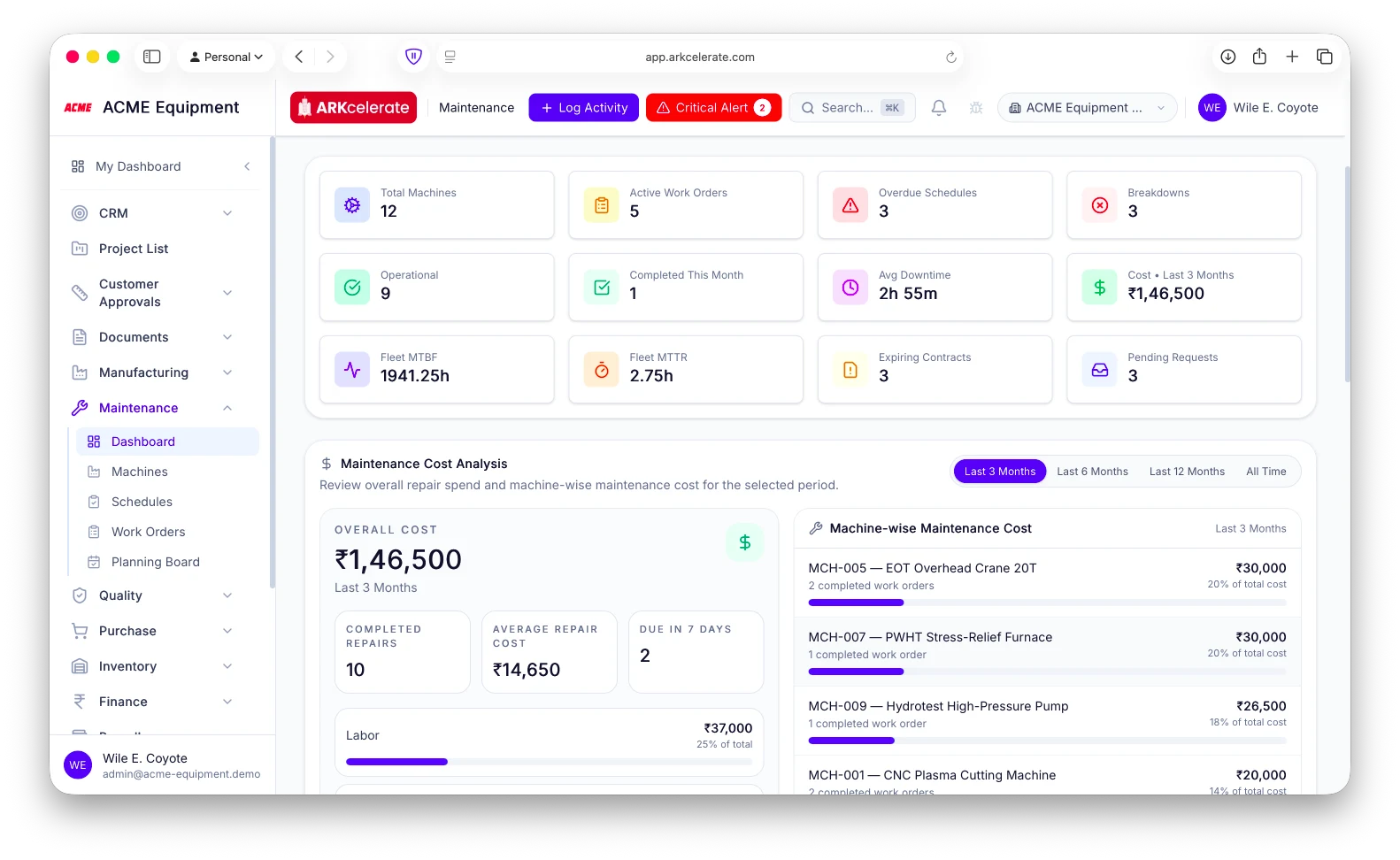
The whole maintenance picture on one command center.
Open the maintenance dashboard and the entire shop’s health is in front of you: machines operational vs in breakdown, active work orders, schedules overdue or due this week, breakdowns and completions this month, and the maintenance spend for the period. Reliability is right there too — fleet MTBF and MTTR, average downtime, expiring service contracts and pending requests — alongside a cost analysis that breaks repair spend down by machine and by labour/parts/external. A maintenance head opens it once and knows what’s down, what’s overdue, and where the money is going.
- Machine health: total, operational, in-breakdown — at a glance
- Active / overdue / due-this-week work and schedules
- Maintenance cost for the period, split by machine and by labour/parts/external
- Reliability KPIs: fleet MTBF, MTTR and average downtime
- Expiring service contracts + pending maintenance requests
Feature 02
Machine register with criticality and service contracts.
Every machine has a record — criticality (A/B/C), location, service-contract coverage, skills required, common spares. The machine record carries its own purchase cost and warranty, and drives all maintenance.
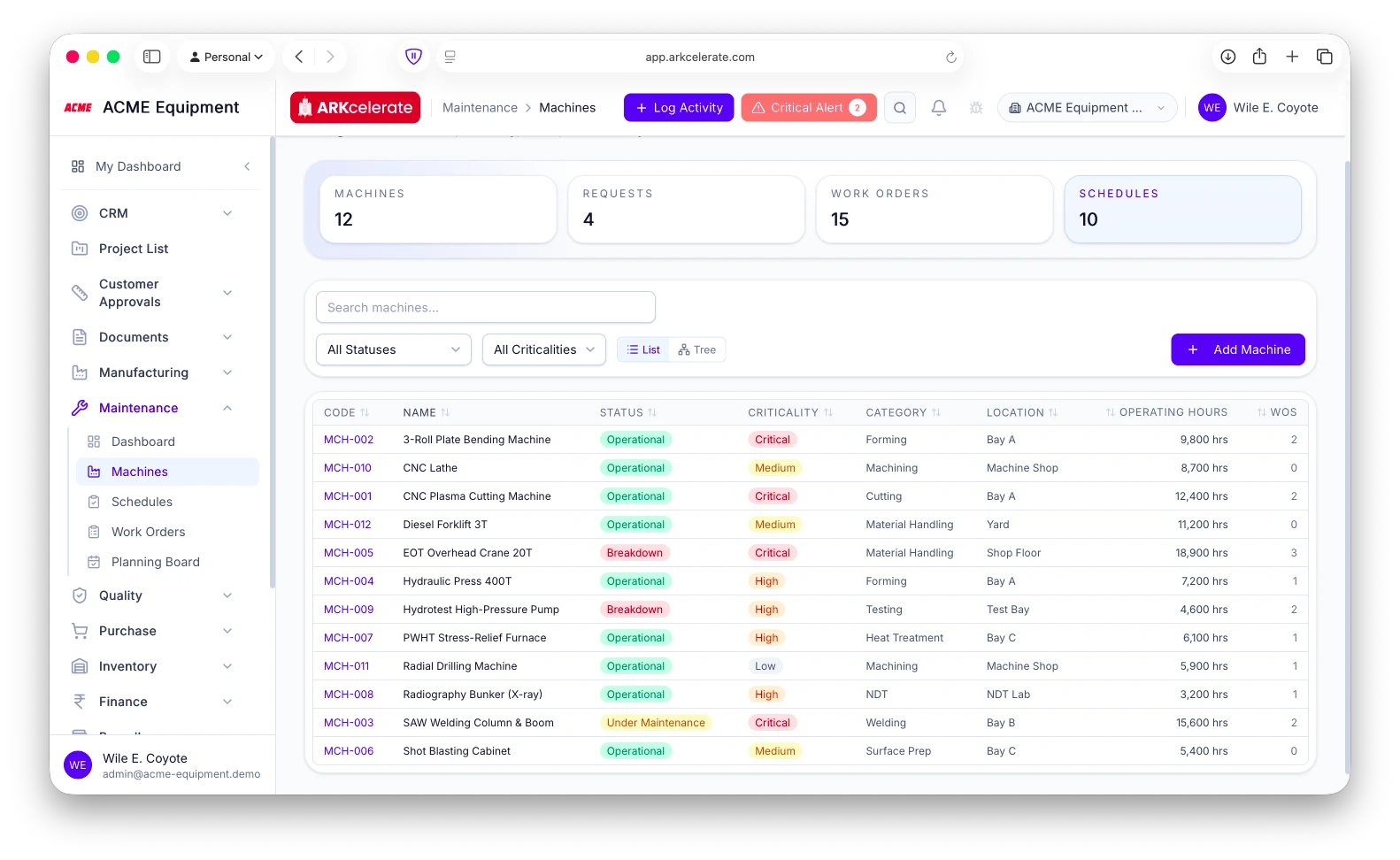
- Criticality classification drives PM frequency
- Service contract linkage (expiry, coverage, cost)
- Required-skills matrix for assignment
- Common-spares list with stock visibility
Feature 03
Preventive schedules, time or usage based.
Schedule by elapsed time or by machine operating-hours. Skip / reschedule / fulfil each instance, with full history on the machine. Overdue PMs escalate and surface on the maintenance dashboard.
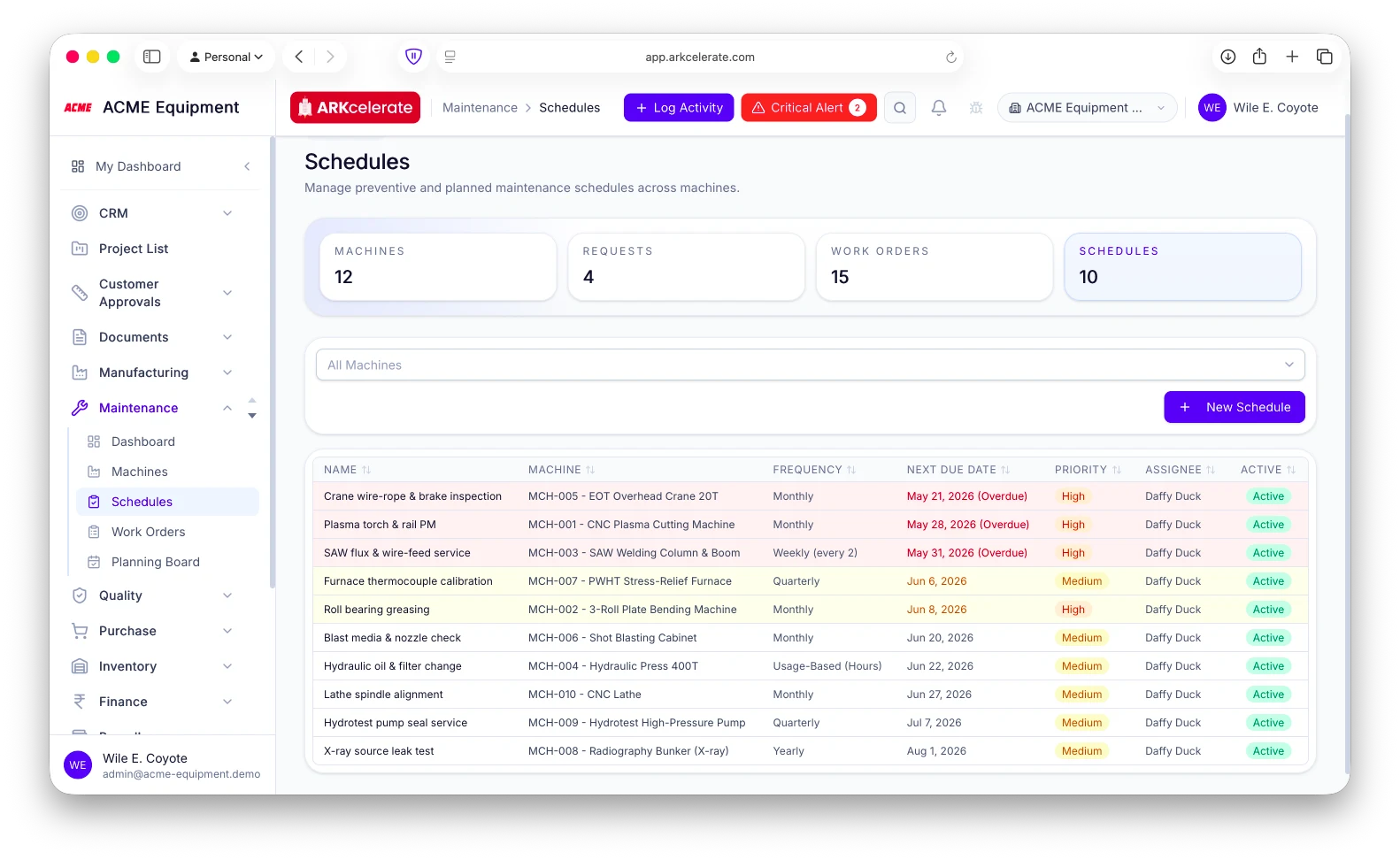
- Time-based or meter-based triggers
- Skip / reschedule / fulfil lifecycle
- Overdue surfacing with escalation
- Annual PM calendar per machine
Feature 04
Breakdown reporting in under 30 seconds.
A one-form breakdown report creates the corrective work order, sets the machine status to breakdown, notifies every admin, and assigns it to the maintenance-in-charge — all inside half a minute.
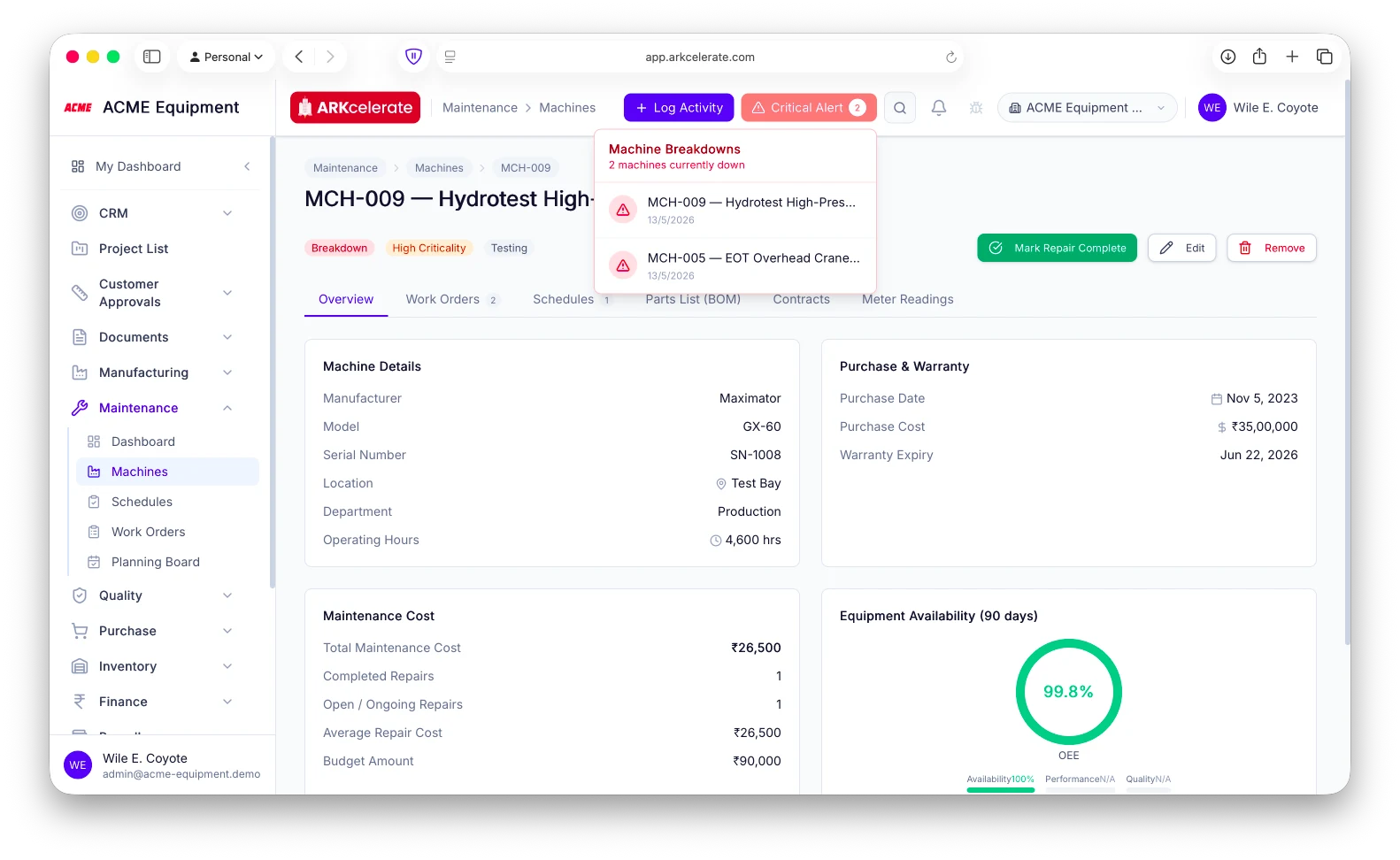
- One form for symptoms, priority, initial assignee
- Auto-create corrective WO
- Machine status flipped to breakdown instantly
- Admin notification with link to the WO
The project-based manufacturing angle
A machine going down is a project schedule event, not a ticket.
Machines carry a criticality rating (A/B/C) and every breakdown logs its downtime, so the team can see at a glance which stoppages threaten delivery — and route preventive work around the machines that projects depend on most.
Everything in the module
The full Maintenance feature list.
Grouped by functional area. Every feature below is included in every plan — no paywalled tiers, no “enterprise edition” unlocks.
| Area | Features |
|---|---|
| Machine register |
|
| Preventive schedules |
|
| Work orders |
|
| Breakdown reporting |
|
| Spares & parts |
|
Try Maintenance alongside every other module.
One signup. Full feature access during your trial.